
What is Xbox Developer Mode? Do regular users need to enable it?
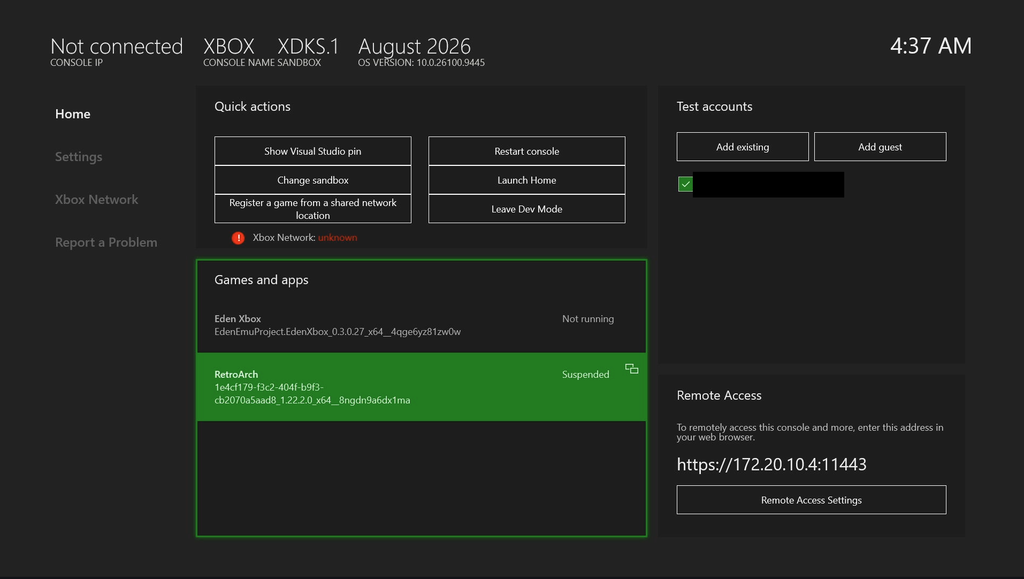
Xbox Developer Mode is an official Microsoft service and does not put your console at risk of being banned or similar issues. After unlocking Xbox Developer Mode, you can turn a retail Xbox console into a developer-mode console. For regular gamers—especially those who want to install emulators such as RetroArch—enabling it is highly recommended.
What is Xbox Developer Mode?
You can think of an Xbox console as a computer with two "operating systems":
- Retail Mode: This is the console's factory-default state. It can only be used for normal gaming and store apps, and it is the mode most users use every day.
- Developer Mode: This is a separate sandboxed environment mainly used for software development and testing. In this mode, you can install and run any UWP (Universal Windows Platform) app adapted for Xbox, such as the RetroArch and XBSX2 emulators.
Key differences:In Developer Mode, you cannot run regular retail games or apps. You need to switch between the two modes using the Dev Mode app and restart the console each time.
Do regular users need to enable this?
For the vast majority of users who only play genuine games, it is completely unnecessary and not recommended.
However, enabling Developer Mode is a prerequisite if you fall into one of the following categories:
- You want to run emulators such as RetroArch on your Xbox: This is the main reason regular gamers enable Developer Mode. Only in this mode can you install these unofficial apps via sideloading.
- Are you an independent developer or enthusiast?I want to test my own UWP applications or games.
Simple judgment:If you only want to play Xbox games, do not enable it. If you want to play emulators on Xbox, you need to enable it.