
Xbox Series X Successfully Runs a 4B Offline AI Model: Vessa, a Private AI Assistant That Works Without Internet
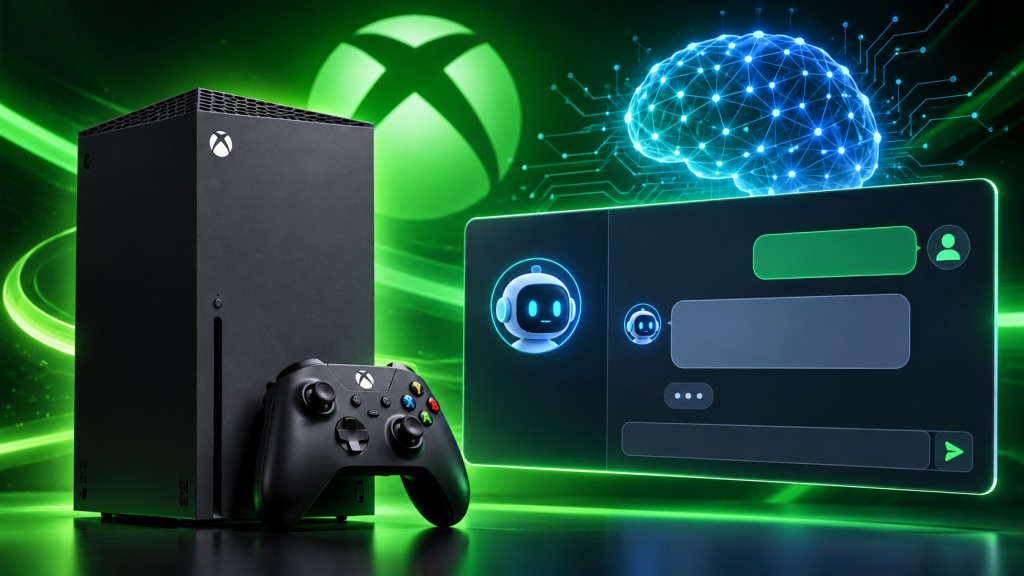
The Xbox Series X can do more than run games, emulators, and Homebrew applications. A developer has now demonstrated that Microsoft’s gaming console can also run a fully offline AI language model.
Recently, Reddit user u/RedEvofromPurple shared a development project in the r/XboxRetailHomebrew community: Vessa, a local AI assistant designed to run directly on Xbox Series X through Developer Mode.
Unlike cloud-based AI services such as ChatGPT and Gemini, Vessa runs its AI models locally on the Xbox console. Conversations do not require an internet connection, an online account, or a paid subscription.
This means the Xbox Series X could serve not only as a gaming and emulation device but also as a standalone machine capable of running local AI models.
1. What Is Vessa?
Vessa is an independently developed private AI assistant designed specifically for the Xbox Series X Developer Mode environment.
According to its developer, Vessa currently supports two AI models:
- Google Gemma 3 4B: Google’s open-weight language model with 4 billion parameters.
- Microsoft Phi-4-mini: Microsoft’s compact language model designed for lightweight AI applications.
Users can switch between the two models and interact with the AI using an Xbox controller or a USB keyboard.
Current features include:
- Answering general questions about science, history, mathematics, and other topics.
- Writing short stories, jokes, and poems.
- Providing recipes and everyday recommendations.
- Explaining technical concepts and offering step-by-step instructions.
- Maintaining conversational context within the current chat.
- Saving chat history locally on the Xbox console.
The developer particularly emphasizes privacy. Vessa does not upload conversations to cloud servers. Chat history remains stored locally on the console and can be deleted by the user.
2. How Does Vessa Run AI Models on Xbox Series X?
The most interesting aspect of Vessa is not simply bringing an AI chat interface to Xbox. The developer has also implemented several optimizations to accommodate the console’s limited application memory and computing resources.
According to the technical details shared by the developer, the project uses the following approaches.
1. ONNX Runtime for Model Inference
The project uses ONNX Runtime to load and execute AI models locally, without relying on cloud-based inference services.
2. 4-bit Quantization
Both models are processed using 4-bit quantization to reduce memory requirements and make them suitable for the Xbox runtime environment.
3. Splitting Models into Smaller Data Chunks
The developer divides model data into multiple chunks for processing, reducing the resource pressure associated with loading the entire model at once.
4. CPU-Based Inference
Vessa currently performs most of its AI inference on the Xbox CPU rather than relying on GPU acceleration.
5. Memory Usage Optimization
Retail Xbox consoles have an application memory budget of approximately 5 GB in Developer Mode. The developer configures the application as a Game type in Dev Home so that it can operate within the corresponding memory budget.
3. How Fast Does It Run?
Performance is one of the biggest questions when running local AI models on a gaming console.
The developer has shared the following test results:
| Test | Performance |
| AI Model | Gemma 3 4B |
| Model Precision | 4-bit |
| Inference | CPU |
| Runtime | ONNX Runtime |
| Generation Speed | Approximately 5.5 tokens/s |
| Time to First Output | Less than 1 second |
| Memory Budget | Approximately 5 GB |
One particularly interesting achievement is the optimization of the initial response time.
By processing model instructions in advance during the application’s loading screen, the developer reportedly reduced the initial response delay from approximately 8 seconds to around 0.7 seconds.
The developer also created a benchmark consisting of 96 questions covering factual knowledge, mathematics, memory, offline-state awareness, and safety.
In a follow-up comment, the developer reported that Gemma 3 4B achieved a score of 93/94 using 4-bit quantization, suggesting that the reduction in model precision did not result in a significant loss of quality under the developer’s testing conditions.
It is worth noting that these figures come from the developer’s own tests and have not been independently verified through third-party benchmarks.
4. What Does Fully Offline AI Mean?
The biggest difference between Vessa and conventional AI chat applications is its ability to operate offline while keeping conversations local.
Because the AI model runs directly on the Xbox console, it does not need to connect to an AI service provider’s servers.
This provides several practical advantages:
- No continuous internet connection required.
- No AI service account required.
- No cloud API credits or usage fees.
- Chat history stored locally.
- Private conversations do not need to be sent to third-party servers.
However, offline operation also comes with certain limitations.
For example, Vessa cannot currently retrieve real-time weather information, news, sports scores, or perform web searches.
The developer says that when users ask questions requiring real-time information, the AI will indicate that it is offline rather than inventing an answer.
5. What Features Could Come Next?
Based on the developer’s responses in the Reddit discussion, Vessa is still undergoing testing and performance optimization.
The developer has also mentioned several possible future directions.
Gaming AI Assistant
Players could ask for walkthroughs, character backgrounds, equipment recommendations, and game-related information while playing.
Offline AI NPCs
With further integration into game projects, local language models could potentially allow NPCs to have dynamic conversations with players without connecting to remote servers.
Voice Interaction
Microphone and headset support could enable voice conversations with the AI, reducing the need for a controller or keyboard.
Local Network AI Services
The Xbox could potentially become a local AI device within a home network, allowing smartphones and computers to communicate with the model through a local network connection.
These are currently potential development directions mentioned by the developer, rather than features that have already been implemented.
6. Is Vessa Available for Download?
It is important to note that Vessa is not yet available as a publicly downloadable application.
In the Reddit discussion, users asked the developer whether the project would eventually be released publicly.
The developer indicated that a public release is planned, but testing and performance optimization are still ongoing. The project will be prepared for release once these tasks are completed.
At the time of writing, the original Reddit post does not provide a public installation package or GitHub repository. Therefore, there is currently no verified download link available.
Interested users can follow the original discussion for future updates.
Original Reddit Discussion:
7. Conclusion
Vessa demonstrates another possibility for the Xbox Series X beyond traditional gaming.
Until now, much of the Xbox Homebrew community’s attention has focused on emulators such as RetroArch, Dolphin, and XBSX2, as well as various UWP applications running through Developer Mode.
Vessa takes things a step further by bringing local AI language models to the Xbox platform.
Although the project is still in development, with limitations in model size, inference speed, and functionality, demonstrating fully offline AI conversations on a gaming console is an interesting technical achievement.
As smaller language models and local inference frameworks continue to evolve, it will be interesting to see whether Xbox consoles could eventually become practical home AI devices.
YOSOnia will continue following Vessa’s development and public release progress.
Related Links:
- Reddit Discussion: https://www.reddit.com/r/XboxRetailHomebrew/comments/1xm60g7/i_got_a_4b_ai_model_running_fully_offline_on_my/
- ONNX Runtime: https://onnxruntime.ai/
- Google Gemma: https://ai.google.dev/gemma
- Microsoft Phi: https://azure.microsoft.com/en-us/products/phi
Disclaimer: The third-party projects mentioned in this article are independently maintained by their respective developers or community members. They are not officially affiliated with or endorsed by Microsoft. Features, availability, and licensing information should be verified through each project’s official release channels. Users should familiarize themselves with applicable platform policies and potential risks before installing or using third-party software.
Support this site
If these guides helped you, you can buy me a coffee and keep the project going.
You can also support us on these platforms (opens in a new tab)